
Setting Up an Ergonomic Home Office: Desk, Chair, Monitor and Habits

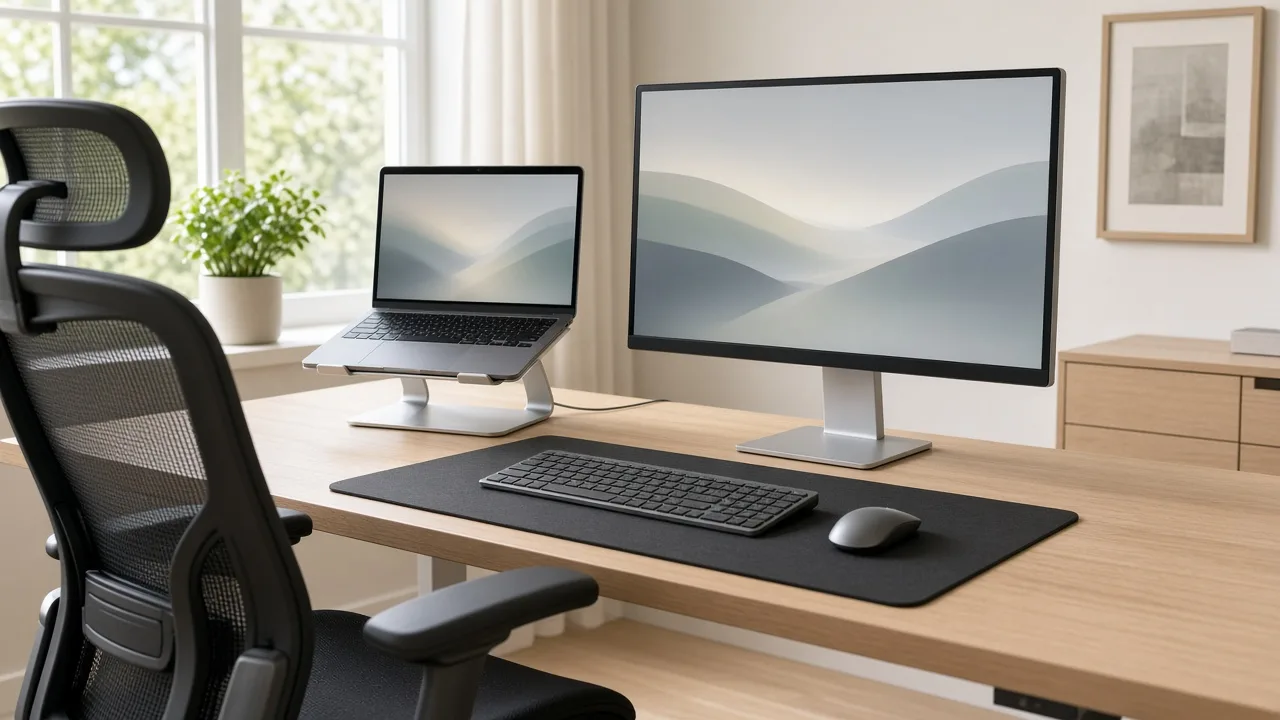
Working from home is convenient, but a kitchen chair or a couch is not designed for hours of computer work. Poor posture and a badly arranged workspace can contribute to neck, shoulder, back and wrist discomfort. You do not need expensive furniture to improve comfort. A few thoughtful adjustments, and a habit of moving regularly, can make a big difference.
Choose a Supportive Chair
An adjustable chair lets you set the height so your feet rest flat on the floor, with your knees at about a right angle and your thighs supported. Look for lumbar support that fits the curve of your lower back. If you cannot buy a new chair, a small cushion or a rolled towel can add support, and a footrest can help if your feet do not reach the floor.
Set the Desk Height
When you sit with your shoulders relaxed, your elbows should be near a right angle and your forearms roughly parallel with the floor. If the desk is too high, raise your chair and use a footrest. Standing desks and desk converters allow you to alternate between sitting and standing, but standing all day is not the goal; changing positions is.
Position the Monitor
- Place the screen about an arm's length from your eyes.
- Position the top of the screen at or slightly below eye level so you do not have to tilt your head.
- Center the main monitor in front of you; if you use two, place the one you use most directly ahead.
- Raise a laptop on a stand or a stack of books and use a separate keyboard and mouse.
Arrange the Keyboard and Mouse
Keep the keyboard and mouse close enough that you do not have to stretch. Your wrists should stay in a neutral, straight position rather than bent up or down. Take care not to rest your wrists on a hard edge while typing. If you feel discomfort, try a different mouse shape or a vertical option.
Light and Glare
Position the screen so that windows are to the side rather than directly behind or in front. Use blinds to control glare, and add a desk lamp for tasks. Adjust the brightness and text size to reduce eye strain, and follow the 20-20-20 habit of looking at something about 20 feet away for 20 seconds every 20 minutes.
Keep Things Within Reach
Place frequently used items such as your phone, notepad and water bottle close by to avoid twisting or reaching. A headset can help avoid cradling the phone between your shoulder and ear.
Move Throughout the Day
- Stand up and walk for a few minutes every 30 to 60 minutes.
- Stretch your neck, shoulders, wrists and hips.
- Alternate sitting and standing if you have an adjustable desk.
- Take lunch away from your desk, and get outside when you can.
Create Boundaries and Comfort
A dedicated work area, even a corner of a room, helps you separate work from home life. Keep the space tidy, add a plant if you like and make sure the room temperature is comfortable. If pain or numbness persists, speak with a healthcare professional. This article is general information and not medical advice.
Comments are closed.